






Digital Art Classes: Drawing, Sketching & Animation (Virtual After-School Program)
Digital Graphic Maker On-going Live/Online/Virtual Classes learning sketching & drawing learning special effects using procreate.
- Description
- Curriculum
- FAQ
- Reviews


Marlonrosie M.
Florida
This program was wonderful! Our daughter loved the class and really enjoyed the teacher! Taught with encouragement, enthusiasm, love and support. Thank you!

Iriz B.
Italy
This program is AMAZING! My daughter has always loved art. I found this program through a neighbor and truth be told, it has been a great investment. This was a great way to deep dive into my daughters passion, while still keeping the house clean. During the classes my daughter is engaged and motivated! Would surely recommend over and over!

Mariah
Tucsa
My 6 year old started taking virtual classes with CreativeOnes. She has a natural love for art and this has been a great way to help her learn how to make art digitally (using the Procreate Application). I highly recommend this academy to anyone who has a kid who likes to create. Our teacher is always so patient and energetic. My child really looks forward to her art class each week and we walk away from each class amazed at how much she improves every time. We homeschool and this has been a fun way to bring digital art into our weekly routine. Happy mom- Five stars from me!

Winter from New Zealand
New Zealand
My Daughter love the classes and her passion for creative design has grown along with her skills set. A very supportive and caring environment to learn in.
Eunah Yu
Virginia
My daughter (10 years old) took a week of digital media design summer camp this summer. She learned a lot on how to use the Procreate App and kept using it when she has some extra time to produce beautiful wallpaper for iPhone and iPad and funny animations. The instructor was so patient and diligent to work with students interactively. I highly recommend this class!

Angela Gonzalez
from Baracelona, Spain
CreativeOnes my son has found a way to practice and unearth his creativity. I am very happy with the academy, the teacher shows a lot of interest for each of the students and they in a relaxed environment learn to use technology. Estoy muy contenta con la academia, en un ambiente relajado aprenden a usar la tecnología
Sul Gomez
from Windermere, Florida
CreativeOnes is a magnificent choice for young kids and adults, the instructor is super dynamic and knowledgeable and shares it all with her students! I highly recommend their online classes and camps!

Abi Petters Beaty
from The Woodlands, Texas
Phenomenal teacher with a ton of real-world experience. She comes up with projects that the kids are interested in, combining their love of art while using today’s industry-standard tools that they’ll need for the future. During my son’s course, he created print-ready artwork, stop-motion video, digital drawings and much more. CreativeOnes Digital Art Academy is awesome!
Veroni C
from Conroe, Texas
I really recommend CreativeOnes to everybody! I was amazed by all the digital artwork my son created in that class! He learned how to create videos using different technology applications, 3D drawings, and animation. He also created a mouse pad for Mother’s Day, which I loved! The teacher was very enthusiastic, engaging and knowledgeable. She introduced my son to the digital world and he loved it!! My son had a great time there and learned a lot!!!
Ayana Griffie
from California
I was really interested in finding engaging educational opportunities for my 14 year old son He has learned so much more than graphic design, he expanded his mind and is exploring creatively. The instructor finds a way to engage each child. She beautifully shepherded 6 teenagers virtually and each created their own masterpiece. If you are looking for opportunities to enhance your child’s skills, I strongly recommend Creative Ones.

Clarice Shippen
from Conroe Texas
Love the digital art camps this group offers. I found the site while searching on the web for a virtual class with live instruction. I saw the positive reviews from other parents, liked their website and decided to take a chance. I am so glad I did. Highly recommended!
Esther Hernandez
from Madrid, Spain
Estoy muy contenta con CreativeOnes, nos ha dado la posibilidad de que mi hija,en esta época de confinamiento, se ilusione y pase tiempo desarrollando habilidades de creatividad con su Ipad, a la vez que disfruta y aprende. Mi enhorabuena , a esta pedazo de idea.
Pablo Jimenez
from Cypress, Texas
As a father, education is crucial and we must continue to invest in our children and the next generation. With the work and the time that the staff at CreativeOnes Academy put with my two children, the most important they learned. I was able to see how the instructors patience and time was making a positive change on them. The work that CreativeOnes Academy have completed in their online teaching is perfect.
Antonio Molina
from Almeria, Spain
We have finally found a place where our daughter improves her creativity and above all, she has fun! We highly value the attention. I have to admit that we even have t-shirts and mugs with the designs that our daughter has made at CreativeOnes Academy, Por fin hemos encontrado un sitio donde nuestra hija mejora su creatividad y sobre todo, se divierte!
Diana Cosme
from Orlando, Florida
My daughter is 13 years old she start her online course with CreativeOnes few weeks ago and since then she is so excited and happy about what she is going to be learning next . I recommend this academy is amazing I believe every parent should take advantage of this great opportunity, is an investment on our kids future and also is a great opportunity for parents to learn and connect with the kids enter in there world and understand them even more.
Susana Salmeron-Tabarini
from The Woodlands, Texas
I highly recommend CreativeOnes Learning Programs to anyone who wants to learn more about the digital world. My daughters instructor makes the class very fun and comfortable. Not only, is the class environment great but it is also preparing her for her future.




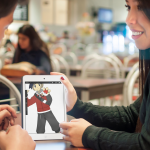


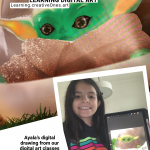
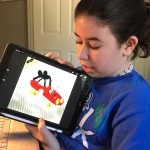


Self-learning Video Tutorials (included)
New
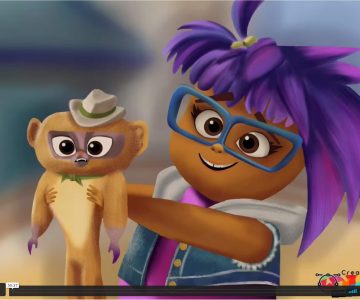
Drawing Media
Drawing a digital illustration of VIVO using procreate
$27
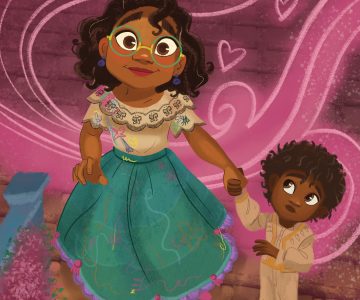
Learn sketch, draw and create an amazing stunning digital art poster illustration of the ENCANTO movie using procreate.
$27
$11
New
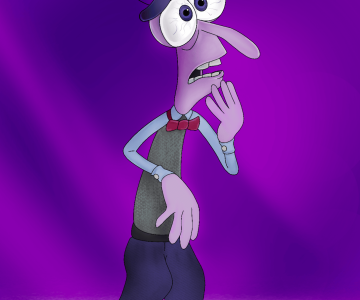
Drawing Media
Drawing a digital illustration of Fear Emotion character from Inside-Out movie
$12
$5
Self-Learning Tutorials
-
1
 Tutorial-Wolf
 -
2
Tutorial- Hulk
-
3
Tutorial- Pokemon
-
4
Tutorial- Grinch
-
5
Tutorial- Vanellope
-
6
Tutorial-Ralph
-
7
Tutorial- PowerpuffGirls
-
8
Tutorial- Halloween Cat
-
9
Tutorial- Horse Black/White
-
10
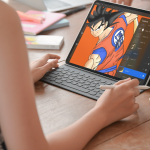
Tutorial- Goku
-
11
Tutorial- Wall-e
-
12
Tutorial- Thanos
-
13
Tutorial-Realistic-Tiger
-
14
Tutorial- Pikachu & Tyrantrum
-
15
Tutorial- Mandalorian
-
16
Tutorial- Dobby_HarryPotter
-
17
Tutorial- Hermione Harry Potter
-
18
Tutorial- Big Hero 6
-
19
Tutorial- BabyYoda
-
20
Tutorial- Spiderman
-
21
Tutorial- ToyStory
-
22
Tutorial-Panda
Guide Handbook
Essential Hardware For Using Procreate
The latest version of the Procreate for iPad app is 4.2.1, and it requires an iPad running iOS 11.1 or newer. That means the latest version of Procreate can run on all five of the iPad models currently on sale from Apple: iPad Pro (12.9-in., 11-in., and 10.5-in. models), iPad (6th Generation, 2018) and iPad Mini 4. Previous iPad models capable of running the latest version of Procreate are iPad Pro 9.7-in., iPad 5th Generation (2017), iPad Air, iPad Air 2, and iPad Mini 2 and 3. Older versions of Procreate run on many older iPad models. To get the full, up-to-date Procreate experience, you’ll want to have one of the two iPad models that arrived in November 2018: the 12.9-in. or 11-in. iPad Pro. These two models are the only devices compatible with the new Apple Pencil.
The Benefits Of Using Procreate
Procreate makes it easy to organize your artwork in a gallery format familiar to Photoshop users; import files from other devices and locations; use hand gestures to zoom in and out of your artwork and undo changes to work. You can also perform professional-level compositing and adjustment of layers and generally create and develop your artwork at a speed that can keep up with your imagination. Perhaps most important to many seasoned professionals, Procreate offers easy integration with existing workflows — you can move back and forth between other apps and platforms as required by your preferred methods, your clients, or the needs of a specific project. There are other professional-grade digital art apps available, but at the moment none match the power, flexibility, and complete functionality and feature-set of Procreate.
Are safe Self-Learning Tutorials included in On-going classes?
Yes they are included and here a few of the of the Benefits of our Tutorials:
– No video Advertisement
– Safe learning experience
– Learn digital techniques
– Safe for schools environment
– Structure content curriculum
– Specific for students ages & levels
– Question enable in each tutorial
– Content control restricted for kids
– Distraction advertising Free
– Drawing warm-up exercises available
– Sketch line-art guide to be downloaded
– No video Advertisement
– Safe learning experience
– Learn digital techniques
– Safe for schools environment
– Structure content curriculum
– Specific for students ages & levels
– Question enable in each tutorial
– Content control restricted for kids
– Distraction advertising Free
– Drawing warm-up exercises available
– Sketch line-art guide to be downloaded
What are the Academic Achievement?
Academic Achievement
– Sketch, Paint & Create Digitally
– Create Comics Graphic Novels
– Draw digital Illustrations
– Learn Procreate App
– Create digital graphics
– Learn 3D/2D drawing tips & tricks
– Learn how to draw digital characters from Pokémon, Avengers, Harry Potter, Disney, Mandalorian, Roblox, Goku from Dragon Ball, Manga, Anime, Realistic Portraits techniques and many others…
– Sketch, Paint & Create Digitally
– Create Comics Graphic Novels
– Draw digital Illustrations
– Learn Procreate App
– Create digital graphics
– Learn 3D/2D drawing tips & tricks
– Learn how to draw digital characters from Pokémon, Avengers, Harry Potter, Disney, Mandalorian, Roblox, Goku from Dragon Ball, Manga, Anime, Realistic Portraits techniques and many others…
For animation, What you recommended?
Stick Nodes Pro is what we recommend for Animation Foundations
Students will learn to:
Create simple frame-by-frame animations
Understand timing, spacing, and motion principles (bounce, run cycles, wall runs)
Develop character movement and gestures
Add backgrounds, props, and multiple characters in a scene
Learn the basics of storyboarding for animation
Export animations and share digitally
Students will learn to:
Create simple frame-by-frame animations
Understand timing, spacing, and motion principles (bounce, run cycles, wall runs)
Develop character movement and gestures
Add backgrounds, props, and multiple characters in a scene
Learn the basics of storyboarding for animation
Export animations and share digitally
Stars 5
12
Stars 4
0
Stars 3
0
Stars 2
0
Stars 1
0

Category:
Non-refundable
Course details
Duration
50 min, 1/wk, Live/Online & Virtual
Lectures
22
Video
50 min, 1/wk, Live/Online & Virtual
Level
Beginner
Full lifetime access
Access on mobile and TV
Popular courses